Web server choice used to be a small decision. You ran Apache, you tuned a few config files, you were done. The performance ceiling was the same as everyone else’s, and the load times you got were the load times you got. Twenty years later, the gap between “default Apache” and “well-tuned modern web server” is the difference between losing search rankings and being the fastest site in your space.
LiteSpeed Enterprise is the web server I default to for WordPress and high-traffic PHP workloads on managed hosting. It’s commercial (not free, like Nginx or Apache), and the license fee is real. The reason I keep choosing it anyway: on the workloads I actually run, it outperforms both Apache and Nginx, often by enough to matter for SEO and conversion rates.
What LiteSpeed Enterprise is
LiteSpeed Enterprise is a high-performance web server designed as a drop-in replacement for Apache. The pitch:
- Event-driven architecture. Apache uses a process-per-connection model that scales linearly with concurrency. LiteSpeed uses an event loop, which is similar in shape to Nginx but tuned specifically for the PHP and WordPress workloads.
- .htaccess compatibility. This is the unglamorous feature that makes migration practical. Every Apache rewrite rule, every redirect, every access-control directive in your .htaccess files works on LiteSpeed without translation. Nginx has no equivalent; rewrite rules have to be ported manually.
- LSCache. Server-level page caching with the LSCache for WordPress plugin as the integration. Public cache for anonymous visitors, private cache for logged-in users, automatic purging on content updates.
- HTTP/3 and QUIC. Native support, on by default. Modern browsers automatically upgrade compatible connections, with measurable latency improvements on mobile.
- Native support for popular runtimes. PHP via LSAPI (faster than FastCGI), Ruby, Python, Node.js. The LSAPI integration is part of why PHP performance specifically is so good.
It runs on every major Linux distribution, integrates with cPanel, Plesk, DirectAdmin, and CyberPanel, and the migration from Apache is literally a service swap.
The benchmark conversation, honestly
LiteSpeed publishes benchmarks showing 2-3x throughput over Apache and competitive numbers against Nginx. I’ve reproduced similar numbers on real client workloads, and my own LiteSpeed vs Apache vs Nginx WordPress benchmarks post is the receipt for the claims in this one. The honest reading of the benchmark space is:
- For WordPress specifically, LiteSpeed wins, often substantially. The LSCache + LSAPI combination is hard to beat without writing custom Nginx tuning that most agencies don’t have time to maintain.
- For static content delivery, Nginx is competitive. If you’re running a static site or a CDN edge node, the LiteSpeed advantage shrinks because the bottleneck isn’t where LiteSpeed optimizes.
- For pure proxy/reverse-proxy work, Nginx is the standard. Use the right tool. LiteSpeed isn’t trying to replace Nginx in front of microservices.
The right framing isn’t “LiteSpeed always wins”. It’s “for the WordPress and PHP workloads I run for clients, LiteSpeed wins enough that the license fee pays for itself in saved tuning time, faster TTFB, and the performance margin SEO actually rewards”.
LSCache for WordPress: where the real value lives
Most of LiteSpeed’s WordPress performance comes from LSCache, the official caching plugin. It does what’s worth understanding:
- Server-level page caching. The cache lives in the LiteSpeed server, not in PHP. Cache hits never touch WordPress code, never query the database. A cached page serves in single-digit milliseconds.
- Smart purging. When you publish a post, edit a widget, or update a plugin, LSCache invalidates the right cache entries automatically. No manual flushing.
- Private cache for logged-in users. Each logged-in user gets their own personalized cache, so the dashboard is fast even when WordPress is doing per-user work.
- Mobile vs desktop separation. Different device types get different cache entries, so responsive themes render correctly without bleeding across.
- ESI (Edge Side Includes). Cache the parts of a page that don’t change while leaving the dynamic parts (cart total, login state) live. Useful for WooCommerce.
- QUIC.cloud integration. One-click connection to the LiteSpeed CDN, including image optimization, CSS/JS minification, and Guest Optimization (page-speed improvements for non-logged-in visitors).
The plugin is free to install on any WordPress site, but most of the server-level features only work on a LiteSpeed-family server (LiteSpeed Enterprise or OpenLiteSpeed, the open-source sibling).
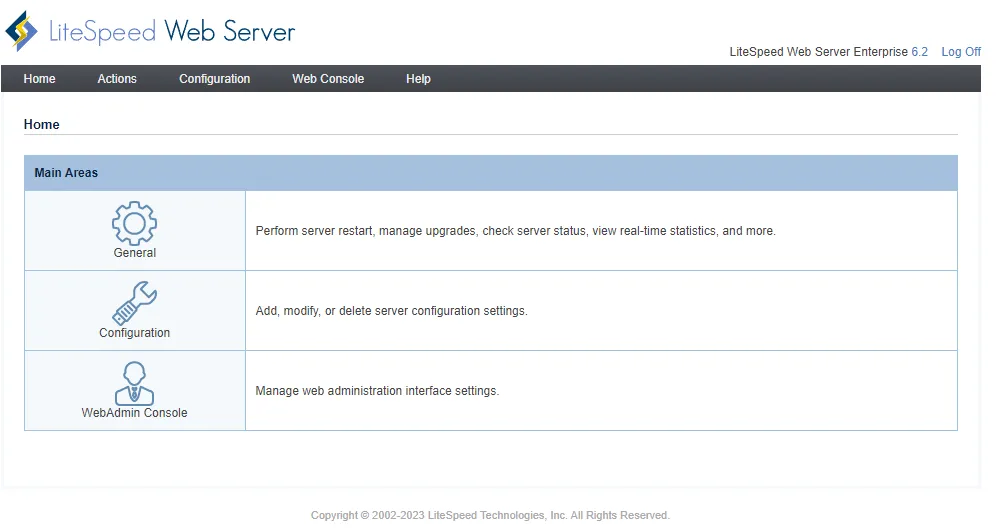
The LiteSpeed WebAdmin console: virtual hosts, real-time stats, and the configuration surface for the server. Cleaner than Apache’s mod_status; more interactive than Nginx’s stub_status.
Where LiteSpeed sits in a hardened stack
The pattern I run on managed WordPress hosting:
- LiteSpeed Enterprise as the web server, with LSCache for WordPress on every site.
- QUIC.cloud as the CDN and image-optimization layer, integrated through LSCache.
- A hardened reverse-proxy layer (Cloudflare or similar) in front for edge caching and DDoS protection.
- PHP-FPM tuning done through LSAPI defaults, which are usually right out of the box.
- Monitoring via Netdata on the host, plus uptime checks (see my server monitoring writeup for the stack).
The combination delivers TTFB numbers (typically 100-200ms) that Apache + WordPress doesn’t reach without significant manual tuning, and matches what well-tuned Nginx can hit, with much less ongoing maintenance.
When LiteSpeed isn’t the right answer
A few scenarios where I’d reach for something else:
- Pure static sites. Use Nginx or a CDN-fronted static host. LiteSpeed’s PHP-side advantages don’t help when there’s no PHP.
- Microservices with no dynamic web layer. If your traffic is API-only and your frontend is a CDN-served SPA, the web server is doing minimal work and the choice matters less.
- Tight budget on a single small site. OpenLiteSpeed (the free, open-source sibling) covers most LSCache features for small WordPress sites. The Enterprise version earns its license at scale, not at one-site scale.
- Workloads on platforms LiteSpeed doesn’t run. LiteSpeed runs on Linux. If you’re locked into Windows hosting for some reason, the choice is between Apache and IIS, not LiteSpeed.
For the OpenLiteSpeed alternative on smaller sites, the open-source solutions category covers the deployment patterns I use. For commercial managed hosting, Webnestify is an official LiteSpeed Solution Provider and a QUIC.cloud sponsor, which means I run the production-tested configurations on every managed site.
Closing the loop
LiteSpeed Enterprise is the web server I keep coming back to for WordPress and high-traffic PHP workloads. The drop-in Apache compatibility makes migration trivial. The LSCache plugin replaces a stack of premium plugins. The QUIC.cloud integration adds CDN and image optimization for free. The license fee is real, and the workloads where it earns it are specific, but for most WordPress agencies running more than ten sites, the math is straightforward.
If you’re running WordPress at scale on Apache or Nginx and the performance numbers aren’t where you’d like them, the Cloud Infrastructure Audit & Hardening engagement covers the LiteSpeed migration as part of the managed setup. For the broader cloud-infrastructure context, the cloud infrastructure category has the rest.